


Simple Pink Butterfly Theme
4.582.00 Reviews
App Specs
- Version
- 1.1.2.0911
- Updated On
- License
- Free
- Downloads
- 5,000,000+
- Developer
- Custom Themes for Android Apps
- Categories
- Personalization
- Platform
- Android
Screenshots
 Analysis by AppCompare
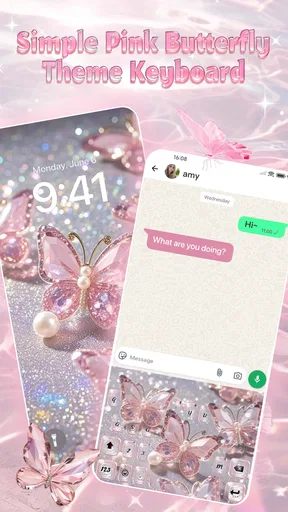
I approach a keyboard theme differently from a full launcher makeover: the part I notice most is what appears every time I type. Simple Pink Butterfly Theme is aimed at people who want that small, repeated moment to feel more personal, with a soft pink look and butterfly styling. It belongs in the personalization corner of the app world, but its appeal is narrower than a complete home-screen redesign: the main idea is to make typing feel more decorative.
What this theme is best suited to
I’d consider it if you enjoy matching your phone’s visual details to a particular mood, especially if pink and delicate motifs already appeal to you. A themed keyboard can make everyday messages, searches and notes feel more coordinated without changing how you use those apps. It is a modest kind of customization, not a new way to organize your phone.
That distinction matters. People often use “theme” to mean a package that changes icons, widgets, wallpapers and the launcher. Here, I would set expectations around an aesthetic typing experience instead. If you mainly want your keyboard to look less plain, this is a more focused option than installing a launcher and rebuilding your home screen around it.
First Impressions
As soon as I downloaded the Simple Pink Butterfly Theme, I was greeted with a beautifully designed interface that was, well, as pretty as a picture. The pink hues are soft and inviting, making it perfect for anyone who loves a bit of whimsy. The butterflies add a delicate touch, flitting across the screen with elegance. It’s not just about looks, though – the user interface is clean, making navigation a breeze.
Customization Galore
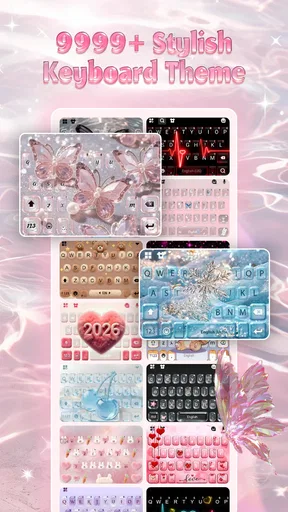
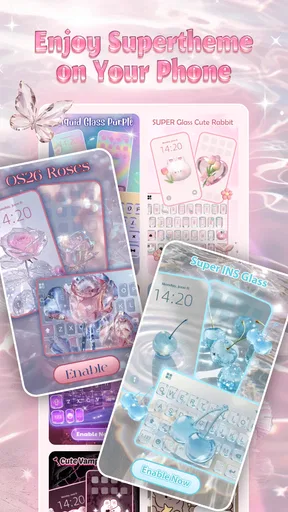
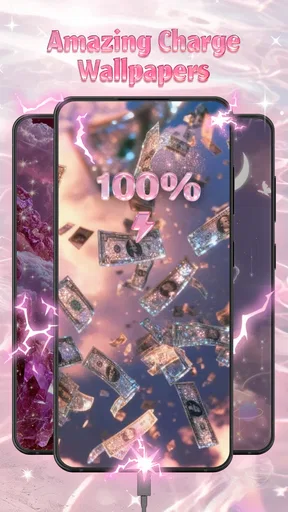
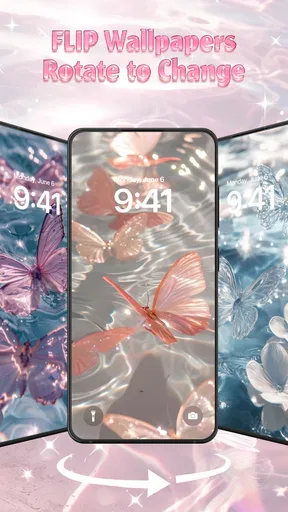
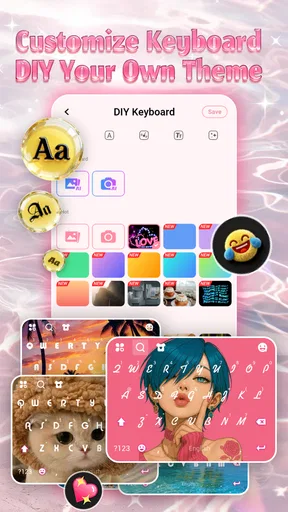
One of the standout features of this theme is the level of customization it offers. From icons to widgets, everything can be tailored to match your personal style. The app comes with a selection of beautifully crafted icons that align perfectly with the butterfly theme. And guess what? You can even choose from a variety of wallpapers to keep things fresh and exciting. It’s like having a mini makeover for your phone whenever you fancy it.
A keyboard change is a daily-use choice
The practical test for a keyboard theme is not whether it looks charming in a preview; it is whether the design stays comfortable after a week of ordinary typing. I’d check the contrast between the keys and their labels before settling on it. A pale palette can look gentle on screen, but if the lettering is hard to distinguish in bright daylight or when you are typing quickly, the visual effect may not be worth the extra effort.
One useful way to try a new keyboard is to keep your first session low-stakes. Open a notes app and type a few sentences, including punctuation, numbers and words with autocorrect-prone spelling. Then try a short message before relying on the theme for work or an important conversation. This gives you a chance to notice whether the key spacing and visual emphasis suit your habits without making the change during a rushed moment.
Worth Reading Before You Choose

Flipboard Shows What News Apps Must Do Beyond the Feed

Switching to Android Auto Means Rethinking Your Driving Routine

Google Calendar Makes a Crowded Week Easier to Manage

Ludo King Makes the Most of the Minutes Between Plans

Baby Panda World Brings Quick Play to Modern Phones, but Its Game Library Feels Busy

ESPN’s Live Game View Makes Following Close Games Easier
If your phone offers more than one keyboard, keeping the usual one available is a sensible fallback while you decide. That is especially helpful if you switch between languages or depend on familiar typing shortcuts. The theme may make typing look more personal, but comfort and accuracy should win over decoration when you are writing something important.
Smooth Performance
Nobody wants a theme that makes their phone lag, right? Thankfully, the Simple Pink Butterfly Theme runs smoothly without a hitch. Transitioning between apps is seamless, and I didn’t experience any annoying glitches. It’s optimized for performance, which means you can enjoy the aesthetics without compromising on speed.
Where it sits among alternatives
Compared with a plain keyboard, a themed option gives your typing area more personality; compared with a broad phone makeover, it asks for less visual commitment. That middle ground is the clearest reason to choose this app. You can focus on one frequently used part of the interface rather than changing every screen, which suits someone who wants a small refresh but does not want to spend time arranging icons and widgets.
There is a trade-off, though. A keyboard-centered look will not make an otherwise unchanged home screen feel like a coordinated theme. If your priority is a consistent appearance across the lock screen, app icons and menus, a launcher or wallpaper-focused tool may be a better fit. If you prefer a clean, neutral keyboard for readability, the default option may also serve you better than a decorative pink design.
Easy Installation
Installing the theme is as simple as a few taps. The app provides clear instructions, and even if you’re not tech-savvy, you’ll find it straightforward. Plus, it’s compatible with most Android and iOS devices, so you’re unlikely to run into compatibility issues. Just download, install, and you’re ready to transform your screen.
Small checks before you make it your default
In everyday use, I’d start by applying the theme and then checking it in the places where I actually type: a message, a search box and a note. Those surfaces can feel different from a preview, and checking more than one helps reveal whether the design remains clear across different backgrounds. I would also try a longer passage, since a keyboard that seems appealing for a quick reply may become visually tiring during extended typing.
A realistic routine might be replying to messages on the commute, searching for a recipe while cooking, then writing a shopping list later in the day. The same keyboard has to work in quick glances and longer pauses. If the butterfly styling makes those ordinary tasks feel pleasant without slowing you down, it is doing its job; if you find yourself concentrating on the decoration instead of the keys, switching back is a reasonable choice.
People sometimes wonder whether a themed keyboard will suit every device or whether it changes the whole phone. I’d treat those as separate questions: the app is a personalization choice centered on typing, and the experience can depend on the device and the keyboard setup you already use. The safest approach is to follow the in-app setup guidance and test the result before assuming it replaces every visual element on your phone.
Battery Life Considerations
Now, I know what you’re thinking: "Will this theme drain my battery?" Well, I’m happy to report that the Simple Pink Butterfly Theme is designed to be light on resources. I didn’t notice any significant impact on my battery life, which is a big plus if you’re constantly on your phone like me.
Who should think twice
This is not the choice I would make for someone who dislikes pink, wants a restrained professional appearance, or values function over visual character. It may also be a poor match if you need a highly familiar keyboard layout and do not want to spend time checking how a new look feels. In those cases, sticking with the keyboard you already know is more useful than changing it just for a theme.
I’d also be cautious about expecting a theme to solve typing problems. A different appearance cannot by itself make a small screen easier to type on or replace the language and accessibility settings that work for you. Try it for its style, then judge it by whether you can still read, type and correct text comfortably.
What the release tells existing users
The app is free, is listed for Teen users, and is developed by Custom Themes for Android Apps. Its current version is 1.0.4.0522, following a release on February 5, 2026. Those details give existing users a useful reference point when checking whether they have the same build, but a version number alone does not tell me what changed between releases. I would avoid assuming that an update added a particular keyboard feature unless the app itself makes that clear.
For someone already using it, the practical question is whether the look and typing experience still suit their routine after updating. I’d take a moment to confirm the selected keyboard and theme remain active, then try the same short typing test used during setup. That is more useful than judging an update by its number: it checks the things that matter directly, such as legibility and whether the keyboard feels familiar.
User Feedback
I took the liberty of checking out some user reviews, and it seems like I’m not the only one smitten by this theme. Users are raving about the graceful design and ease of use. Many are particularly taken with the customization options, which allow for a personalized touch. It’s always reassuring to see a community of satisfied users, right?
The app has a 4.7 average from around 3.8 thousand ratings, with more than a million installs. I take that as a sign that the look has found an audience, not a guarantee that it will work for every typing style. A smaller number of written reviews can offer useful individual experiences, but I’d still test the keyboard myself rather than relying on popularity alone.
What I would watch for over time
For a keyboard theme, the meaningful signs of continued value are simple: does the visual design remain comfortable, does the setup still work with your device, and does the app continue to feel focused rather than cluttered? I would pay attention to those everyday details instead of expecting a particular new feature. A future version may bring changes, but until they are visible, they are only possibilities.
My own recommendation is to decide after using it in real situations, not just after admiring the theme screen. Keep it if the pink butterfly styling makes routine typing more enjoyable and remains easy to read. If you find the decoration distracting or want a broader redesign, choose a more suitable alternative rather than trying to make this focused keyboard theme do everything.
Final Thoughts
In a world of ever-changing technology, it’s refreshing to find a theme that combines beauty with functionality. The Simple Pink Butterfly Theme offers a delightful way to personalize your device without being overly flashy. It’s perfect for anyone who wants a touch of elegance on their screen.
If you’re looking to switch things up, why not give this theme a whirl? It’s a simple download away, and I promise, it’s like having a little garden of serenity right in your pocket.
Pros
- Elegant and visually appealing design.
- Easy to apply and customize interface.
- Compatible with most Android launchers.
- Lightweight and doesn't slow down the device.
- Regular updates with new features.
Cons
- Limited color palette might not suit all.
- No additional widgets included.
- Ads can be intrusive at times.
- Lacks support for older Android versions.
- Customization options are somewhat limited.
FAQs for Simple Pink Butterfly Theme
What is the Simple Pink Butterfly Theme app?
The Simple Pink Butterfly Theme is a customization app designed for Android devices that transforms your phone's appearance with a vibrant pink butterfly motif. It offers a fresh look for icons, wallpapers, and other UI elements, providing users with a visually appealing and cohesive design.
Is the Simple Pink Butterfly Theme app free to download?
Yes, the Simple Pink Butterfly Theme app is available for free on the Google Play Store. However, it may offer in-app purchases or ads to support development. Be sure to check the app details for any associated costs before downloading.
Does the Simple Pink Butterfly Theme app impact device performance?
The Simple Pink Butterfly Theme is designed to be lightweight and should not significantly impact your device's performance. However, it's essential to ensure your device meets the app's system requirements to ensure smooth operation and avoid any lag or crashes.
Can I customize the Simple Pink Butterfly Theme further?
While the theme provides a preset design, some customization options may be available. You can often adjust settings such as wallpaper, icon size, and other minor features. Check the app's settings menu to explore all available customization options.
Is the Simple Pink Butterfly Theme compatible with all Android devices?
The Simple Pink Butterfly Theme is compatible with most Android devices running Android 4.1 and up. However, compatibility might vary based on the device brand and model. Always check the app's compatibility section on the Google Play Store to ensure it works with your device.


